


EL PAÍS
3.5201.00 Reviews
App Specs
- Version
- 15.1.0
- Updated On
- License
- Free
- Downloads
- 1,000,000+
- Developer
- EL PAÍS
- Categories
- News & Magazines
- Platform
- Android, iOS
Screenshots

 Analysis by AppCompare
The most useful way to think about EL PAÍS is as a reading-first route into a broad news publication, rather than a stream designed only to flash headlines at you. That distinction matters: when I open a news app between other tasks, I want to know whether I can move from a quick scan to a fuller account without losing my place or drowning in unrelated alerts. This app is built around browsing its journalism, and that makes it a better fit for readers who want context as well as updates.
Why a browsing-first approach matters
News feeds often reward fast scrolling. That is handy when I have a spare minute, but it can leave important stories as a sequence of disconnected snippets. EL PAÍS makes more sense when I treat it as a place to choose a subject, open a report, and spend a little time with it. The benefit is not that every visit has to become a long reading session; it is that the app gives me a reason to pause when a headline deserves more than a glance.
That approach also changes how I would use notifications. Rather than letting every alert dictate the order of my day, I would keep alerts selective and use the app itself when I am ready to browse. A quick check over breakfast, for example, can be a deliberate scan of the subjects I care about. Later, I can return to a particular story when I have enough time to read it properly. This division between alerts and reading helps keep a news habit useful instead of constantly interruptive.
A practical routine for staying informed
In an ordinary day, I might check the app before leaving home, open a report that needs more attention, and save it for a commute or a quiet break. If the connection becomes unreliable, having an article saved ahead of time is more dependable than assuming a page will load later. That small bit of planning is especially useful on public transport, where coverage can change during a journey. I would make saving part of the routine rather than waiting until I am already offline.
It is also worth separating reading from watching. Articles that include video or other media can add texture, but they are not always the best choice when I am in a hurry, in a quiet place, or trying to limit data use. For a focused session, I would start with the written report and open the media only when it genuinely helps me understand the subject. That makes the app’s mix of formats an option, not an obligation.
For someone comparing news apps, the main question is what kind of daily experience they want. A general aggregator is often better for collecting headlines from many publishers in one feed, while a publication’s own app offers a more direct way to browse that outlet’s reporting and opinion. EL PAÍS suits the second purpose. I would not choose it as my only tool if I wanted every outlet represented in one place, but I would choose it when I wanted to spend time with EL PAÍS’s coverage rather than skim a mixed list of headlines.
What to expect from access and interruptions
The app is free to install, which makes it easy to try before deciding whether it belongs in a regular routine. It also offers in-app purchases, so readers should check the options shown in the app before making a purchase and decide whether any paid access matches how often they read. The key practical question is not simply whether the app costs nothing to download; it is whether the amount and type of reading you want fit the access available to you.
Worth Reading Before You Choose

Flipboard Shows What News Apps Must Do Beyond the Feed

Switching to Android Auto Means Rethinking Your Driving Routine

Google Calendar Makes a Crowded Week Easier to Manage

Ludo King Makes the Most of the Minutes Between Plans

Baby Panda World Brings Quick Play to Modern Phones, but Its Game Library Feels Busy

ESPN’s Live Game View Makes Following Close Games Easier
Advertisements can interrupt the feeling of a clean reading session, and the experience may not suit someone who expects every article to be presented without commercial clutter. I would judge that trade-off over several visits, not from one headline: if ads repeatedly pull attention away from the journalism, a different way of following news may feel calmer. The app’s free entry point is convenient, but it does not mean every reader will prefer its balance of access and interruptions.
Who will get the most from it
I would recommend EL PAÍS most to readers who already want to follow its reporting, enjoy reading beyond headlines, and value having written journalism alongside multimedia. It can also work well for someone building a modest news routine: browse at a chosen time, save an article for later, and reserve alerts for subjects that matter. The app is less compelling for a person who wants a neutral all-publishers feed, rarely reads full articles, or is especially sensitive to advertising and in-app purchase prompts.
For an international reader, the mix of Spanish and global coverage can be a reason to explore it, but the best fit still depends on the subjects and reading experience you want. I would try it with a specific purpose in mind—following a developing issue, reading opinion alongside reporting, or making a saved article part of a commute. If those habits feel natural, the app has a clear place in a news routine; if you only want a rapid headline roundup, an aggregator may be more convenient.
So, I recently decided to dive into the world of news apps and stumbled upon EL PAÍS. As someone who’s constantly on the lookout for the latest updates, this app piqued my interest. Let me walk you through my experience using it.
Getting Started with EL PAÍS
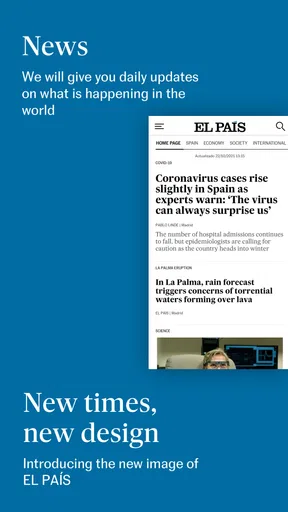
First off, downloading the EL PAÍS app was a breeze. It's available on both Android and iOS, so you can grab it from the Google Play Store or the App Store. The installation was quick, and before I knew it, I was greeted with a sleek, modern interface that was both inviting and easy to navigate.
User Interface and Navigation
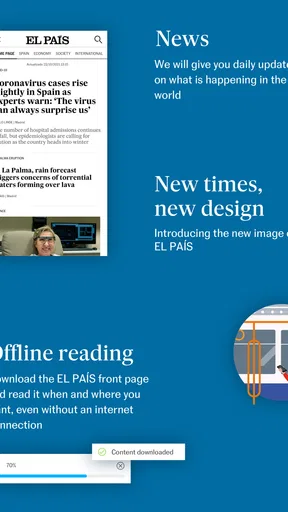
The app’s design is clean, with a minimalistic approach that makes finding news articles a seamless task. Categories are clearly displayed, so whether you’re interested in politics, culture, or sports, you can jump straight to your topic of choice. I particularly appreciated the dark mode feature, which is easy on the eyes during those late-night reading sessions.
Since it is a news and magazines app developed by EL PAÍS, I find the publication-led layout more useful for following its coverage than for comparing headlines across the whole news landscape. The app has a 3.6 average from around 14,000 ratings and has been installed over a million times. Those figures suggest that plenty of readers have tried it, but they do not tell me whether its editorial mix will match your interests; I would use the subject sections to decide that for myself.
Content and Features
Now, let’s talk about what truly matters—the content. EL PAÍS delivers a rich array of articles covering not just Spanish news but also international affairs. As someone who enjoys diverse perspectives, I found their opinion pieces and in-depth reports particularly engaging. The app frequently updates its content, ensuring you’re never behind on the latest happenings.
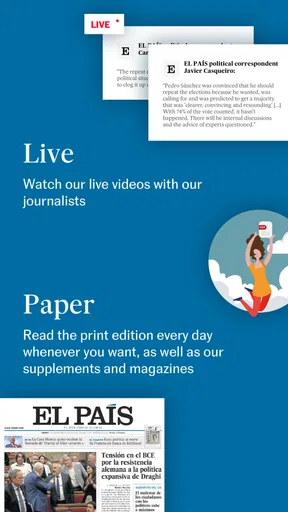
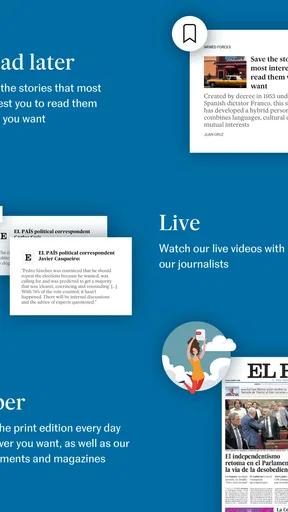
The multimedia integration is another aspect that stands out. You can find videos, photo galleries, and even podcasts within articles, providing a more immersive experience. I found myself spending more time on the app than I expected, simply because there’s always something new to explore.
My practical tip is to let the article determine how long you stay, rather than treating every visit as an endless feed session. When I want orientation, I scan the sections; when a report matters, I open it and give the argument room to develop. Opinion and reported pieces serve different purposes, so I would read them side by side when I want to distinguish interpretation from a straight account of events. That is more rewarding than relying on a single headline to explain a complicated issue.
Notifications and Customization
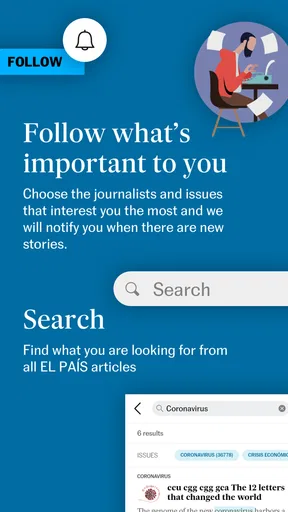
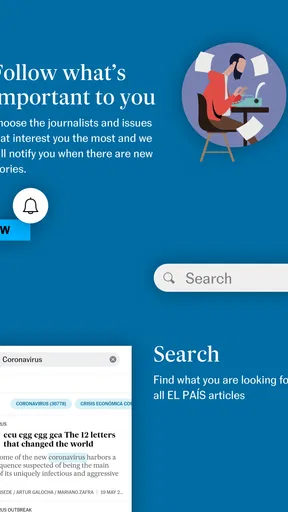
One of the features I appreciated was the customizable notifications. You can tailor these to receive alerts on topics that matter most to you. Initially, I was a bit overwhelmed by the number of notifications, but tweaking the settings made a world of difference. Now, I only get pings when something truly significant breaks.
If you are deciding whether to allow alerts, I would start conservatively and add only the subjects you would genuinely stop to read. A phone can turn a steady news habit into a series of interruptions when every update is treated as urgent. I prefer to check the app at a time I choose, then let a small number of useful alerts bring me back when there is a reason. Readers who would rather keep all news notifications off can still browse when it suits them.
Reading Offline
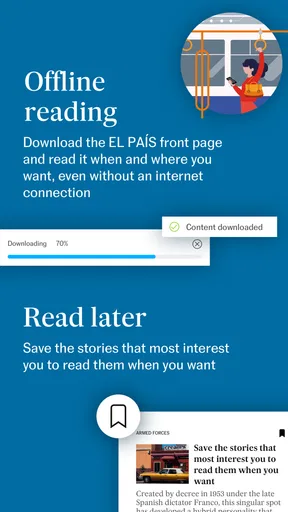
For those of us who are always on the move, the offline reading option is a lifesaver. You can save articles to read later, which is perfect for long commutes or when you’re stuck without internet access. It’s like having a mini newspaper in your pocket at all times.
The useful workflow is to save a story while the connection is good, not when the train has already gone underground. I would also choose a small set of articles rather than saving everything I see; that makes the later reading session easier to manage. Offline reading is most valuable for planned gaps in connectivity, while a live update or a media-heavy page is naturally better explored when you are back online.
Room for Improvement
While EL PAÍS has a lot going for it, there are a couple of areas that could use a little polish. Occasionally, I encountered minor glitches with video playback. It wasn’t a deal-breaker, but it did disrupt the otherwise smooth experience. Additionally, some users might find the ads a bit intrusive, but hey, that’s the trade-off for free content, right?
The app is free to download, but it includes in-app purchases ranging from under a dollar to just under $220 per item. I would check the wording and terms attached to any purchase before confirming it, especially if I only want occasional access. The current version is 12.3.0, and the app is rated for Everyone 10+. It runs on operating systems from version 8.0 onward, which is useful to check before installing on an older device.
Overall, my time with EL PAÍS has been quite positive. It’s a robust app that brings a wealth of information right to your fingertips. Whether you’re a news junkie or just like to stay informed, this app has something for everyone. If you haven’t checked it out yet, I’d say it’s worth giving a spin.
So, what are you waiting for? Dive into the world of EL PAÍS and keep yourself updated with the latest news from around the globe. Happy reading!
Pros
- User-friendly interface for easy navigation.
- Regular updates with current news.
- Wide range of topics covered comprehensively.
- Offline reading mode available.
- Customizable notifications for favorite topics.
Cons
- Occasional ads may disrupt reading.
- Some features require a subscription.
- Heavy on data usage for video content.
- Limited personalization options for layout.
- App can be slow on older devices.
FAQs for EL PAÍS
What is EL PAÍS app and what features does it offer?
EL PAÍS app is the digital version of the renowned Spanish newspaper, providing users with access to a wide array of news categories including politics, culture, sports, and international events. The app features personalized news feeds, offline reading capabilities, and multimedia content such as videos and podcasts, ensuring a comprehensive news experience.
Is the content on the EL PAÍS app free to access?
While the EL PAÍS app offers some content for free, it operates on a subscription model for premium articles. Users can enjoy a selection of articles at no cost, but to access exclusive content, in-depth reports, and special features, a subscription is required. This model supports quality journalism and ensures regular updates.
How user-friendly is the EL PAÍS app for reading news?
The EL PAÍS app is designed with an intuitive interface, making navigation simple and user-friendly. Users can easily switch between sections, bookmark articles for later reading, and adjust text sizes for comfortable reading. The app also includes a night mode to reduce eye strain, enhancing the overall user experience.
Does the EL PAÍS app support multiple languages?
Primarily, the EL PAÍS app is in Spanish, reflecting its origins as a Spanish newspaper. However, it does offer some content in English, catering to an international audience. Users can switch languages for certain articles, but the majority of the content remains in Spanish, preserving its authenticity.
Is the EL PAÍS app available on both Android and iOS?
Yes, the EL PAÍS app is available for download on both Android and iOS platforms. Users can find it on the Google Play Store and the Apple App Store. The app is regularly updated to ensure compatibility with the latest operating system versions, providing a seamless experience across devices.


